
Creating a new template
Things covered in this article:
- What is a template
- Creating a new template
1. What is template?
Templates are the collection of settings, while creating any of the template you can simply select the administration where you would like to copy the settings from. Which so ever the administration is selected all of the settings from that admin will get copied in the template.
Once the template is created, you can edit and add other administrations where you would like to add the same settings.
2. Creating a new Template:
In order to create the new template, you can go the option Template on the left hand side from options panel (Login>>Template>>+New)
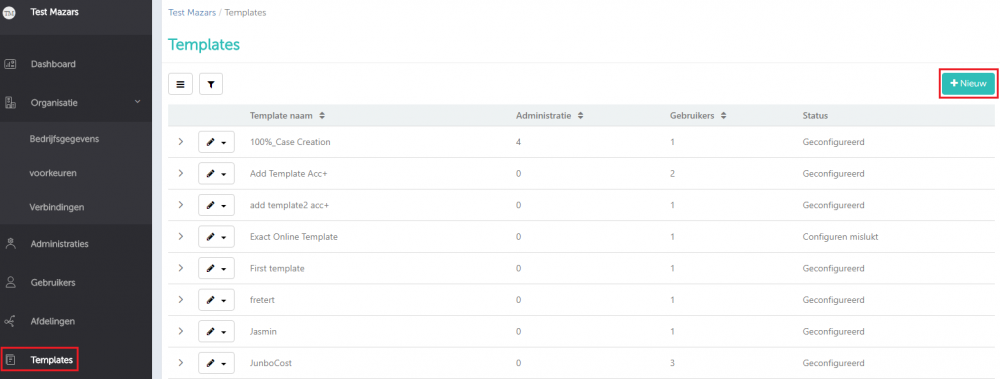
Once you’ve clicked on the ‘+New’ you are required to enter the Template name and select the administration whose settings you’d like to copy in the template that you are going to create. You can also add the owner of the template i.e users. Only the assigned user of this created template and the Accountant manager will be able to edit the template once created.